
Arca does not connect to your bank. What it knows about your habits comes from what you enter or import yourself: payees, the envelopes you choose, the merges you make. From that, it suggests an envelope, puts your usual payees at the top of the list, recognises your bank’s labels and, in an envelope’s target, recalls a large expense from the past year.
These suggestions are computed in your browser, from your budget alone. No data from any other budget goes into them. Each suggestion says where it comes from, changes in one move, and a single switch turns them all off.
The fields in the try-it block below are the app’s own, and they run on its code.
The suggested envelope
When you pick a payee, Arca fills in the envelope for you. A light bulb marks it, and a line below says where the suggestion comes from: “based on your recent choices”, or “your last entry” when there is only one. In the envelope list, it sits at the top, under “Suggested”.
In the try-it block, pick Carrefour, then Boulangerie Martin, then Cinéma Rex.
Carrefour gives Groceries, Boulangerie Martin gives Restaurants. Cinéma Rex gives nothing: with no entries, Arca has nothing to suggest, and it does not guess.
Two rules protect what you have already decided. An envelope you have chosen, “No envelope” included, is never replaced. And nothing in your past transactions is changed: only new entries get the suggestion.
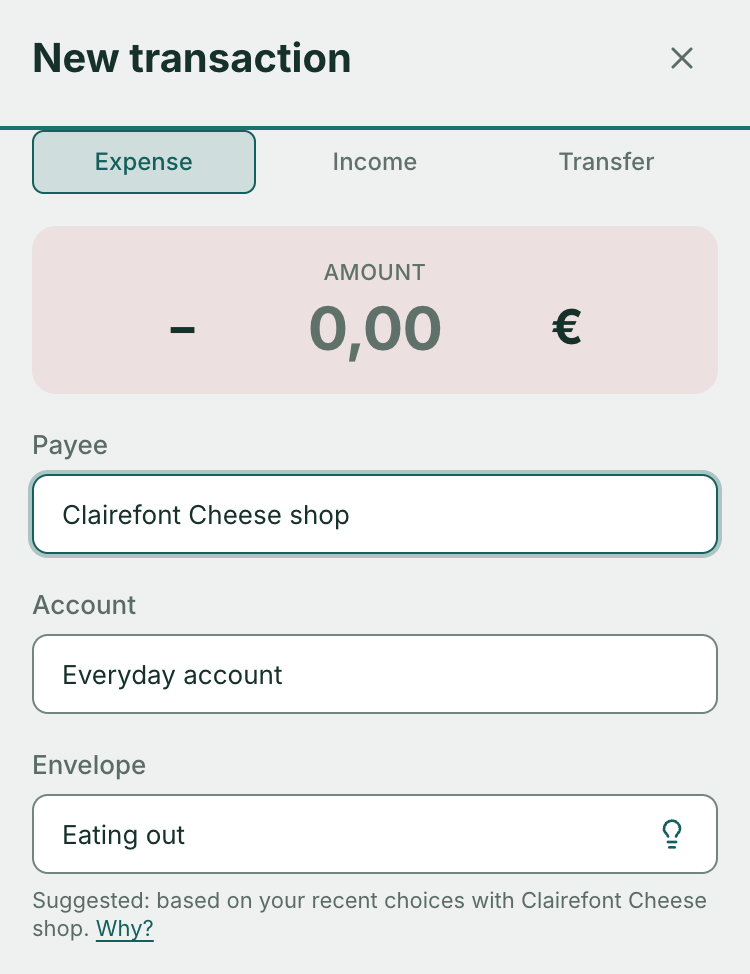
When you import a statement, it works differently: a line that names no envelope gets the one Arca would suggest, straight away. The preview marks it with the same light bulb, and you change it afterwards in the register. An envelope written in the file is never replaced.
Where the suggestion comes from
Arca looks at three sources, in this order, and stops at the first one that answers:
- A rule you wrote. For example: “if the payee is Carrefour, envelope Groceries”.
- The set envelope of the payee, if you have set one.
- Your past entries with this payee. This is the only source Arca learns.
For the third, each entry with this payee votes for its envelope (transfers, splits and lines without an envelope do not vote). A vote counts half as much every 30 days: a choice weighs 1 on the day, ½ a month later, ¼ two months later, ⅛ three months later. The envelope with the highest total is suggested.
The two examples in the try-it block show it. These weights are computed on the demo set, not measured on a real budget.
- The habit holds. At Carrefour, six Groceries purchases over the last six weeks weigh 3.54 together. One visit filed under Restaurants yesterday weighs 0.98. Arca suggests Groceries: a one-off purchase does not overturn a habit.
- The recent wins. At Boulangerie Martin, ten Groceries purchases from five to six months ago now weigh only 0.20 together. Two lunches under Restaurants this week weigh 1.85. Arca suggests Restaurants: your habits changed, and the suggestion follows.
Nothing is stored separately: the suggestion is recomputed from your budget every time. Correct an entry, and the next suggestion takes it into account.
Why 30 days
Several simple rules were compared on a real history: each learned from the older months and was judged on the recent ones, with a gain threshold set before looking at the results. The 30-day half-life crossed it. That was the history of a single budget: nothing proves that 30 days is the best setting for yours. Hence a suggestion you correct in one move.
Your frequent payees
When you open the payee list, the five you have used most over the last twelve weeks are repeated at the top, under “Frequent”. Your favorites sit above, under “Favorites”, with no duplicates. The full list follows, under “All”, in alphabetical order.
In the try-it block, “Frequent” holds Boulangerie Martin, Café des Sports, Carrefour, Grand Frais and Lidl. Pharmacie du Centre is a favorite. Station Total was used only once: it stays in “All”.
“Frequent” copies and does not move: the alphabetical list never reorders, and a payee stays where your eye has learned to find it. Research points the same way. In 2004, with 27 people, Findlater and McGrenere found a menu that rearranges itself slower than a fixed menu. In 2006, Gajos and colleagues found that a separate area, which copies items without touching the rest, is the one their participants preferred.
As soon as you type, the groups disappear: one line per payee, your favorites then the most used first. It is the same list wherever you pick a payee.
What Arca keeps from a merge
When you merge two payees, with “Merge and learn” or with the “Also rename future imports” option (ticked by default), Arca keeps the bank’s label as a rule: “name is … → payee”. On the next import, that label goes straight to the right payee.
Two other things change on import:
- When you confirm that a statement line matches one of your transactions, the same question does not come back with the next statement.
- A rule you wrote on the bank’s label also sets the envelope, even if the payee does not exist yet. The line shows “suggested: rule”.
The details are in the documentation: CSV import and payees.
One switch to turn it all off
The setting is in Settings, “Data & privacy” section: “Suggest from my entries”. It is the same switch as in the try-it block above.
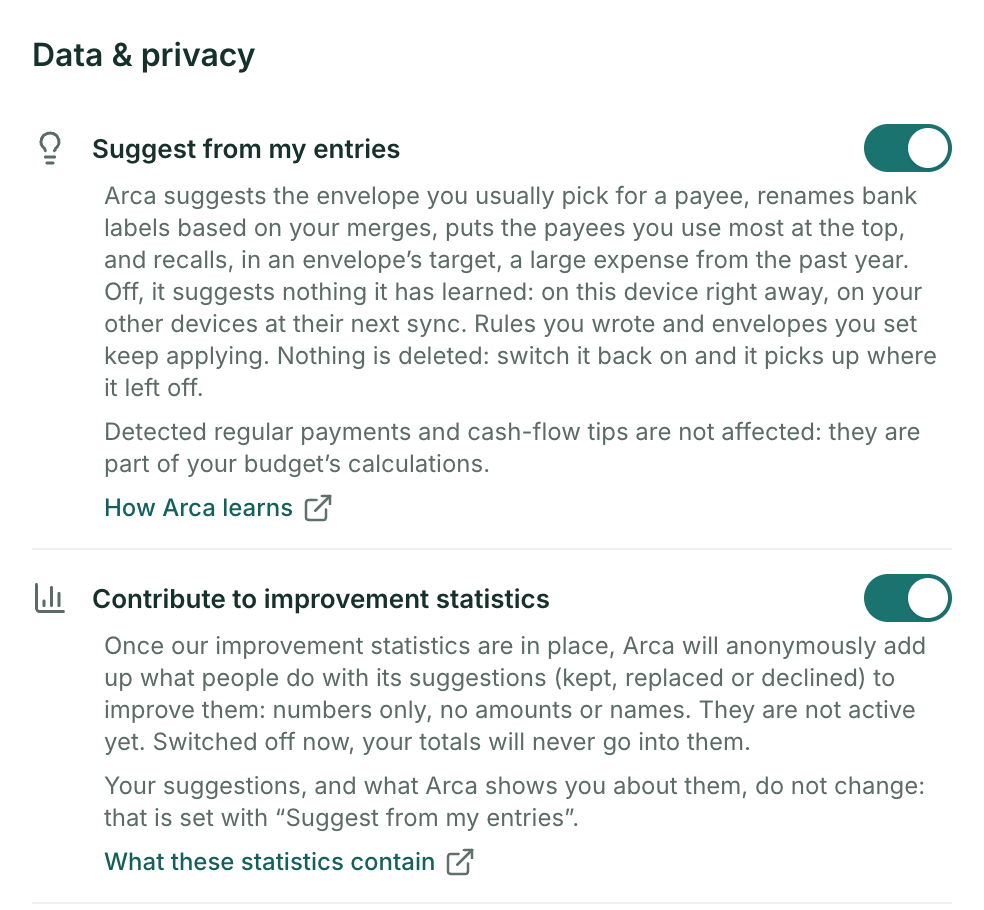
Off, it stops everything learned:
- no more envelope suggested from your entries;
- no more bank labels renamed from your merges, and “Merge and learn” disappears;
- no more “Frequent” group: alphabetical order everywhere, your favorites at the top;
- no more reminder of a large expense in an envelope’s target, based on a large expense from the past year: savings goals describes it.
What you decided yourself keeps working: written rules and set envelopes. Detected regular payments and cash-flow tips do not change: they are part of your budget’s calculations.
It takes effect right away on this device, and on your other devices at their next sync. In a shared budget, if one person switches it off, Arca stops suggesting anything learned, for everyone.
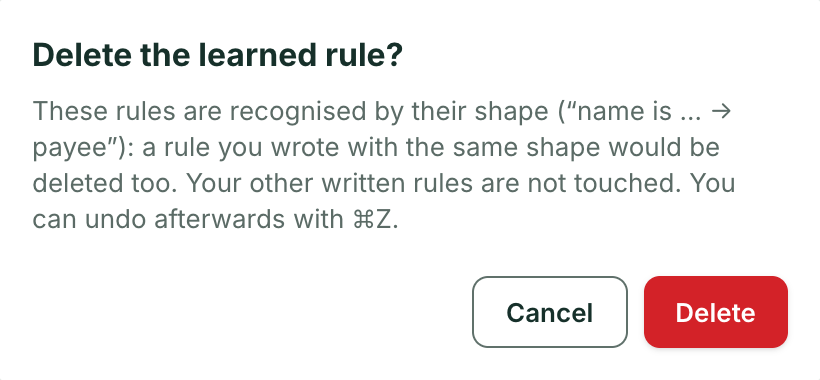
Switching off deletes nothing. Your learned rules are marked “paused” on the Rules page and resume if you switch the setting back on. To delete them, a button appears on the Rules page while the setting is off: “Delete learned rules”. It asks for confirmation, and ⌘Z brings them back.
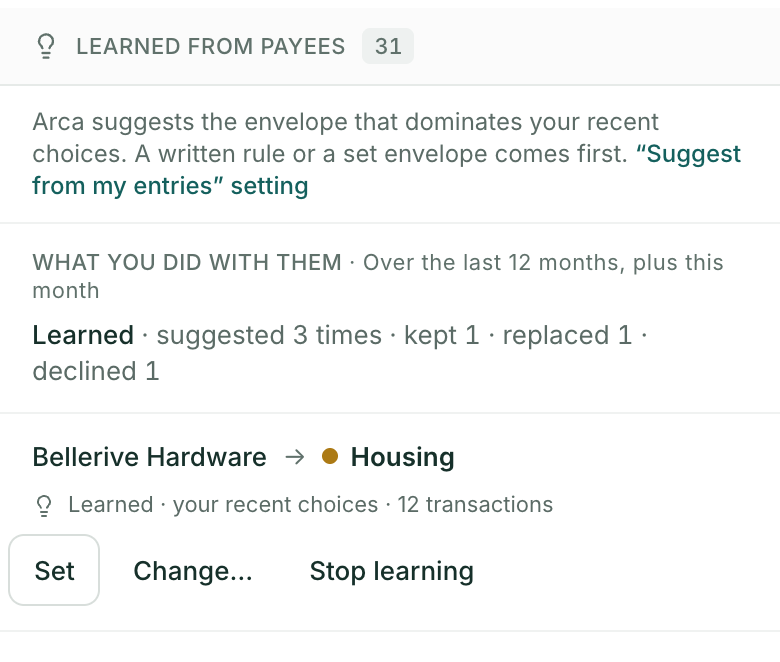
You can also stop learning for a single payee. The “Learned from payees” section of the Rules page shows, for each one, the suggested envelope and why. “Stop learning” stops the learned envelope for that payee only; “Set” turns the suggestion into a set envelope.
Knowing whether these suggestions help you
Your budget counts, per month, how many suggestions were kept, replaced or declined: the envelope suggested when you enter a transaction, the match suggested on import, the detected regular payment.
These are counters only: no amount, no payee, no envelope name. They are kept for 13 months, appear in “Export my data”, and nothing is counted while the setting is off.
The Rules page shows you the summary, under “What you did with them”, for the last 12 months and the current month. Nothing shows until something has been suggested.
An honest caveat: “kept” does not prove the suggestion was right. People readily keep what is already filled in. In 2003, Johnson and Goldstein measured it on organ donation, in an online experiment with 161 people: 42% consented when they had to tick to donate, 82% when they had to tick to refuse. The counter says what you did, not what you would have done without a suggestion.
What is coming
We plan to derive improvement statistics from these counters: anonymous totals, added up across all budgets, to improve the suggestions. They are not active yet, and we will let you know before we put them in place.
You can object now with the second switch, “Contribute to improvement statistics”. Switched off, your totals will never go into them. It changes nothing in your suggestions or in the summary on the Rules page.
What Arca does not do
- No bank connection. Arca learns from what you enter and import, never from access to your bank. See what your budgeting app sees when it connects to your bank.
- No machine-learning model is trained on your budget: the suggestions come from the rules this article describes.
- No sale, no advertising, no score passed to a third party, no decision made for you.
Finally, your budget is stored in the clear on our servers. The counters and the learned rules live with it, like the rest of your budget, which our servers read to sync it and compute it. Under the GDPR, suggesting an envelope from your past entries is profiling: it serves only you, and you object to it in one move. All of this is written in the privacy policy, section 3a, and what our servers hold is detailed in its section 2.
Learning is only an aid to data entry; the method stays yours. To discover it: the envelope method.